
How to call to action on a website? How to create a good call-to-action (CTA)? So many questions that I receive in my mail box, or at conferences. Many entrepreneurs I meet are often with the same problem. Visitors to your website arrive, they watch what you offer, but do not take the action that you would like them to take.
In a word: they do not convert.
Your site may have beautiful pictures, you may have perfected your texts and your design, but nothing happens. You want someone to buy on your site or subscribe to your newsletter, but you may be missing something …
But, if you want your visitor to buy from your site, you must ask them to buy. If you want your visitor to subscribe to your newsletter before leaving your site, you must ask them to fill in the form.
And how can you encourage your visitors to really do what you want them to do?
With what we call a “call to action”, a “call-to-action”, a “CTA”.
How to call to action on a website
Call-to-action or how to convince your website or blog visitor to take the action you desire!
In the form of a word or an expression to the imperative, you indicate to your user what is the specific action you want them to do on your site.
It could be to: 
- go to your online store
- buy a product
- fill out your form
- subscribe to your newsletter
- participate in a quiz
- take a survey
- or register for your next webinar …
A call to action is not a simple button to buy a product or service. It’s like a GPS or the final instruction you want to give your users when they are on your page. This is crucial, once your target is connected to your business, you need to tell him/her what steps to take in order to get your product or service.
Here is a clever call to action … click on the message below and see what happens ⬎
A call to action is a GPS that you give to your reader while on your site.
A clearly visible and attractive call-to-action button should help your visitor navigate your site easily and quickly. DO NOT HIDE IT!
With calls to action, we make a very clear suggestion to our visitor to take the action we have chosen for them. The one that will help him solve one of his problems, thanks to your product or service.
Here are 7 tips to create a GOOD call-to-action
1. Know your target, each user is unique
But do you know what your target needs? Your visitor has just landed on your page and is in a hurry to see if there is something in it for him. The first thing you should do is answer some of these questions:
- What can you offer them?
- Why would they need it?
As we discussed in one of my previous articles “How To Write Good Blog Posts That Trigger Readers Response” remember that it is important to identify the problems your target is facing and how much of the products or services you sell can solve all, all of their headaches. Again, most sales are based on solving a problem.
So list the benefits (not the features) of your product or service just above your call-to-action. The more you know about your audience, the easier it will be to convince them that they need your product or service.
2. Make it easy for them
 If, for example, your business encourages your future customers to call you directly by phone. Do not make them look for the number. Write it on the call to action and do not omit the information you think is relevant to them.
NB: If your intention is to tell your user what you want him to do, you should always use the active way: buy now, sign up, call today … That being said, surprise your reader with a call to negative action of the type “DO NOT CLICK ON THIS LINK” may be able to reserve you surprises. I let you do the test. 
3. Show them that they are not alone
Generally nobody likes to be the first to try something, right? If possible, insert numbers above or below your call-to-action button. For example: “More than x customers, more than x people have already tried our services, these data will bring credibility to your brand.
Do you find that too commercial? you can say it subliminally and a bit more elegantly, simply by removing the numbers: “Welcome to the largest community of …”.
NB: This is called “social proof” and it is one of the 3 elements of the principle of persuasion we will talk about in my next article. These tactics will help you to convert better on the Internet.
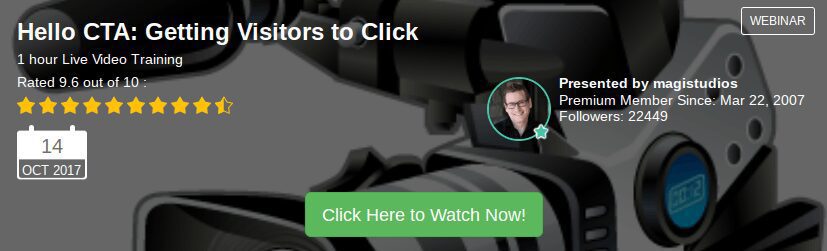
At this point I would like for you to watch this video recording of expert Jay of Magistudios:
“Hello CTA: Getting Visitors to Click” ⬎
4. Introduce a sense of urgency
Because it is not the same thing to say “call now” as it is to say “call whenever you want“!
Limiting the time makes your call to action more persuasive. People are more likely to take action when they see a time limit. The feeling of scarcity (“only 5 places available“, “only for the top 10” …) also plays an important role. A customer will want NOW what he would without a doubt be able to have in the future.
5. Raise his curiosity
We are all more or less curious by nature. Curiosity is one of the most important elements of what is called “copywriting“. So, you can use a call to action that arouses your visitors curiosity and lead them to want to know more: It’s a way of giving him a carrot: “You want to know more?” Unless you click, it will be difficult …
6. Add a call to action on each of your pages
Wherever they are on your site, your visitors need to know what the next step is. Therefore, do not leave them hanging! And particularly, and ESPECIALLY on your home page.
NB: Want to learn “How To Write Good Blog Posts That Trigger Readers Response?”, then, follow this link ➸ How To Write Good Blog Posts That Trigger Readers Response.
7. Do not abuse calls to actions of any kind on your site
 After reading this article, you may be tempted to add call to action buttons everywhere on your website. Stop it right there! Abusing your calls to action can also be very counterproductive. When your visitors arrive on your site, if they see dozens of links and buttons to click on, they will get totally confused and they might just leave your site to get on to your competitor’s!
As I often recommend to my readers and conference attendees, it is all about finding the right balance between assisting your visitor and giving them some freedom in their browsing.
Here are a couple of questions for you:
- How much importance are you giving, or have given so far to your calls to action?
- How did you tweak them?
Don’t forget that I have written this article for you, so feel free to comment on it in the comments box below. My readers would love to read how you operate.
And, if you wish to learn more about creating your own call to action buttons, I highly recommend this title ➸ How To Create Call To Action Banners That Get Clicks!
If you wish to learn more about starting your own online business from home, click on the banner below …

You might also like to read the below articles that I have selected for you:
- How To Create A Niche Website ?
- Where To Find Ideas To Write About In A Blog
- Why Is Self Motivation Important – Believe In Yourself
And remember that you can subscribe to my newsletter so that you will be instantly notified by email when a new article is made available for you to read. Just follow this link ~~> Subscribe to my Newsletter!
Thanks for reading
 I hope that after reading this article you will know how to call to action on a website. If you have any experience on the subject we would love to hear from you. And, if you have any questions, please use the box below and I will respond as soon as possible. If you enjoyed this article please share it socially and leave a comment below, I will highly appreciate it!
I am a Premium Member of Wealthy Affiliate, where I have learned how to share my passions. I am inviting you to join my team and learn how to become successful in business and retire early. It is 100% FREE to join, learn and earn! Click the button below and I’ll see you on the other side.
 Easy to Retire – Copyright © since 2017 to date!
Hi John,
Great article and post on How to call to action on a website. I absolutely loved it. A few months ago I watch a live webinar type deal with Pat Flynn and he covered less material an an hour than you did in the 5 minute read on your website. Very well done!
I’ve been working on my website for the last 8 months or so. I am still working on building an audience and gaining traffic but in the next month or so I need to create a call to action button and strategy. I’ve book marked your page to return when I need it which is soon. Thanks for the insightful advice!
Mat A.
Thanks for bookmarking my website and for commenting on my “How To Call To Action On A Website” article Mat. That’s right, it is time for you to place your CAT buttons and phrases.
I personally love webinars, I understand things better that way, but there is one thing that I don’t like is that very often, the speakers feel that they have to fill in completely the hour allocated to them, and often love the sound of their own voice, so that can become boring.
One of my favorite tutors and speakers is Jay at Magistudios. He is very easy to follow, patient and knowledgeable.
Have you read my latest article “Where To Start In Internet Marketing: 7 questions to ask yourself“? If yes, please let me know what you think, I do value your comments and opinions very much. If not, please do so when you have a moment and comment on it – Thanks.
I wish you the very best.
John ツ
This is a really informative article about call to actions. I do use call to actions on every article i post, i just make the text bigger and bold and i attach a link to it so people knows they can click on it and i always let them know to click here! I am willing to try out some new things though for call to actions, i learn new stuff everyday it seems like.
Well done Justin. As you say, there are new things that we can learn every day, and I hope that this website is bringing you all the information you need to improve your website(s). Let me know if you have any questions, just post them at the bottom of the page, in the comments section.
Thanks for sharing your thoughts on the subject and I look forward to seeing you here often.
John ツ
P.S. Have you read my latest article “Where To Start In Internet Marketing: 7 questions to ask yourself” ?- Let me know what you think.
Wonderful post and very helpful. Clearly, I need to put more thought into how to craft CTAs for visitors to my website! When you think about it, it’s an important consideration, but I never realized that I should be using a 7-step process. You also make a good point about not being shy about it. If we’ve built trust with our readers, then they should allow us to direct them.
While this is a great post, I am wondering if you have any content on your website that explains the difference between benefits and features. This is referenced in step #1, and I think I need to understand those differences better. Any examples would be helpful!
Thanks again for this post — I look forward to exploring your website and learning more.
Thanks for reading my latest article “How To Call To Action On A Website” and for taking the time to comment on it Laura. That’s right, if you think about it, what have you got to lose? If you don’t ask, you won’t get and your reader will go away without taking the action that you are hoping for, and if you ask and they don’t follow through, it means that they are not interested anyway, but some will.
The difference between benefits and features? Good question and thanks for asking, as it requires a full on article to be able to explain it completely, so it is now on my to-do-list of articles to research and post soon.
But the way I can explain it briefly:
One of the features of website for example would that it downloads rapidly, but the design is such that it enables you to find your way through easily and find what you are looking for are benefits.
I hope that this will help you make the difference for the moment. If you want to be notified as soon as a new article is posted, if not done so yet, I suggest that you fill in the form at the bottom of very pages of this website.
Best wishes,
John ツ
I think call to actions are very underused when markets are just starting out. However like you said, I think you should have at least one cta on every page of your site whether that is to….
– leave a comment
– share your content
– or buy something
People online have a tendacy to not do anything at all unless you tell them to — which is why having a cta is so important.
That’s right Michael. As you have well understood, if you don’t ask, you won’t get. Thanks for your comment and I look forward to seeing you on my website again soon as I have several very exciting articles ready to be posted.
If not done so yet, you might like to register for my reminders so that you will be the first to know when a new article comes out. The registration form is at the bottom of every page.
I wish you the very best.
John ツ
Hi John,
Thank you kindly for this rather excellent article regarding the importance of a good call to action. It is really, really appreciated – thanks.
I think I can now rather easily figure out why I am not quite converting as well as I’d like to. I need stronger CTA telling reader exactly what to do. Thanks.
Thanks for reading and commenting on my article “How To Call To Action On A Website” Derek. It took me a long time to understand, and believe, that if you don’t firmly ask your readers to press that button, or link, they will just continue reading, or go away, and never follow the action that you want them to take. So I hope that I have been helpful and that you will experience better results from now on. Please do share your progress with us here.
I wish to take this opportunity to invite you to read a previous article that will certainly be of interest to you and the success of your business, enjoy it and share it around you: Share On Social Media
I wish you the very best.
John ツ