
How to use ChatGPT efficiently? It really isn’t complicated. All you have to do is to follow this simple guide and you will amaze yourself in just a few clicks!
How to Use ChatGPT Efficiently?
So, let’s get started …
Artificial intelligence has moved from novelty to necessity, and ChatGPT sits right at the center of that shift. Used well, it can save hours of work, spark better ideas, and also sharpen your thinking. However, used poorly, it becomes a fancy autocomplete machine that spits out generic fluff.
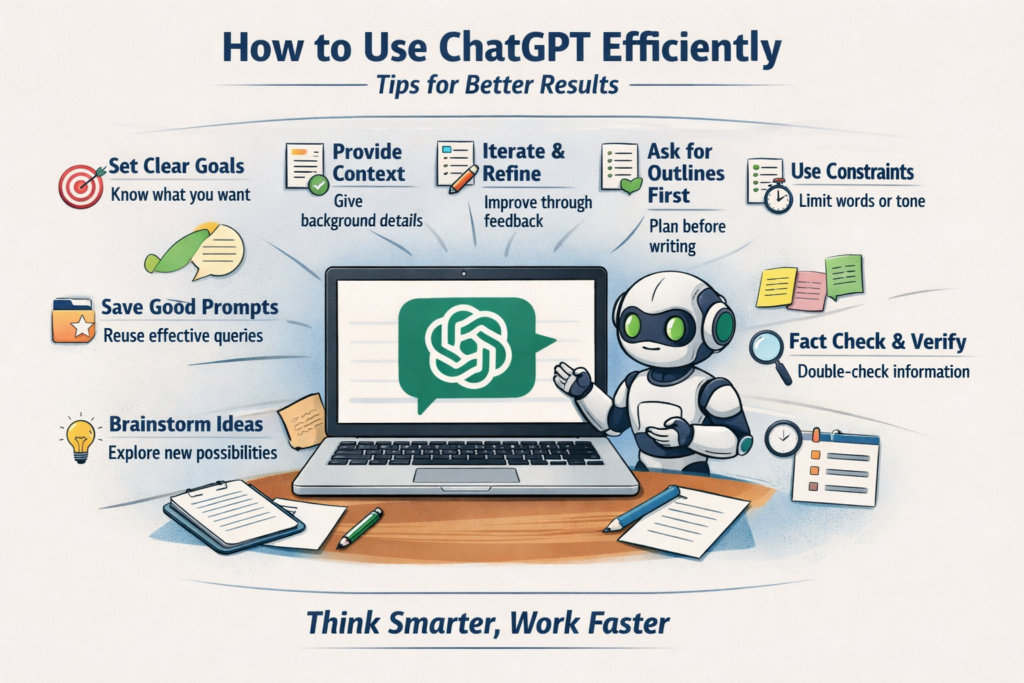
The difference isn’t the tool—it’s how you use it.
This guide will show you how to use ChatGPT efficiently, whether you’re creating content, solving problems, learning new skills, or running a business. No technical background required—just smarter inputs and better habits.
1. Start With Clear Intent, Not Vague Curiosity
ChatGPT responds directly to the quality of your prompt. A vague prompt produces vague output.
Compare these two:
- “Write about marketing.”
- “Write a 700-word article explaining email marketing for beginners, using simple language and real-world examples.”
The second one works because it answers four questions upfront:
- What do you want?
- How long should it be?
- Who is it for?
- What style should it use?
Also, before you type, pause and ask yourself: What would a perfect answer look like? Then describe that.
2. Give Context Like You Would to a Human Assistant
ChatGPT doesn’t know what’s “obvious” to you unless you say it.
Instead of:
“Help me write a landing page.”
Try:
“Help me write a landing page for an affiliate product aimed at beginners who are skeptical of online income claims. The tone should be honest, calm, and practical.”
Context dramatically improves relevance. This is especially important for business tasks, writing, and strategy.
3. Treat It as a Thinking Partner, Not a Search Engine
One of the biggest mistakes people make is expecting perfect answers in one prompt.
Efficient users iterate.
For example:
- “Give me 10 blog post ideas about productivity.”
- “Expand idea #4 into an outline.”
- “Write the introduction in a friendly, conversational tone.”
- “Make it more concise and remove clichés.”
This back-and-forth mirrors how you’d work with a human collaborator—and it also produces far better results.
4. Ask for Structure Before Content
If you jump straight into asking for full articles, scripts, or plans, you often get bloated or unfocused output.
A smarter workflow:
- Ask for an outline
- Review or tweak it
- Then ask ChatGPT to expand each section
This saves time and also reduces rewrites.
Example:
“Create a detailed outline for a guide on using ChatGPT for small business owners.”
Once the structure looks right, the final content almost writes itself.
5. Use Constraints to Improve Quality
Counterintuitive but true: limitations make AI output better.
Useful constraints include:
- Word count
- Reading level
- Tone (professional, casual, persuasive)
- Format (bullets, steps, table, checklist)
Example:
“Explain SEO in under 200 words, at a 9th-grade reading level, using bullet points.”
Without constraints, ChatGPT tends to ramble.
6. Don’t Accept the First Answer Blindly
ChatGPT is confident—even when it’s wrong or shallow.
Efficient users:
- Ask follow-up questions
- Request clarification
- Say “Rewrite this more clearly”
- Ask for examples or counterpoints
You can even say:
“Critique your previous answer and improve it.”
This single habit can also double the quality of what you get.
7. Use ChatGPT to Think, Not Just Write
Writing is only one use case.
You can also:
- Brainstorm business ideas
- Compare strategies
- Role-play customer objections
- Practice explanations
- Break down complex topics
- Summarize long content
- And also turn rough notes into clean drafts
For example:
“Act as a skeptical customer and list the top 10 objections to this offer.”
That’s strategic thinking—not just text generation.
8. Be Aware of Its Limits
Efficiency also means knowing when not to rely on ChatGPT.
ChatGPT:
- Can hallucinate facts
- May also provide outdated info
- Doesn’t replace expert judgment
- Should not be your sole source for legal, medical, or financial decisions
Use it as an assistant, but not an authority. Always verify important facts.
9. Save and Reuse Great Prompts
Once you find prompts that work well, keep them.
Create a simple “prompt library” for:
- Blog writing
- Email drafts
- Ad copy
- Research summaries
- Idea generation
This turns ChatGPT from a novelty into a repeatable productivity system.
10. Think in Outcomes, Not Outputs
The most efficient users don’t ask:
“What can ChatGPT write?”
They ask:
“What outcome do I want?”
More clarity.
More sales.
Even more ideas.
Also less time wasted.
When you focus on outcomes, your prompts naturally improve—and so do the results.
Final Thoughts
ChatGPT is not magic, but it is leverage.
Used intentionally, it can :
- Cut your workload
- Improve your thinking
- Accelerate learning
- And also multiply creative output
The key is simple: better questions, better results.
Treat ChatGPT like a smart assistant that needs direction—not a mind reader—and it will quickly become one of the most efficient tools you use every day.
Thanks for reading “How to Use ChatGPT Efficiently”!
🙏 If you enjoyed reading this article, please share it by clicking on the block below 👇
About the Author of “How to Use ChatGPT Efficiently?”

John, is the founder of “Living The Laptop Life”©. He has been earning online for over 25 years and he also built this website to help his readers avoid scams and find genuine work-from-home opportunities.
Because of unexpected life circumstances, he left school at age 10 and became a self-taught man who seldom had a boss. His fortune was made mostly by promoting affiliate programs while traveling the world with his laptop.
He is now retired in the South of France with his wife, but he still enjoys mentoring privately at no charge:
➸ To get started, click here!